> ## Documentation Index
> Fetch the complete documentation index at: https://docs.astrobee.ai/llms.txt
> Use this file to discover all available pages before exploring further.
# User Profile
> Manage your personal account settings
The Profile page lets you manage your personal information and account settings.
Access it by clicking **Profile** in the sidebar (below your avatar).
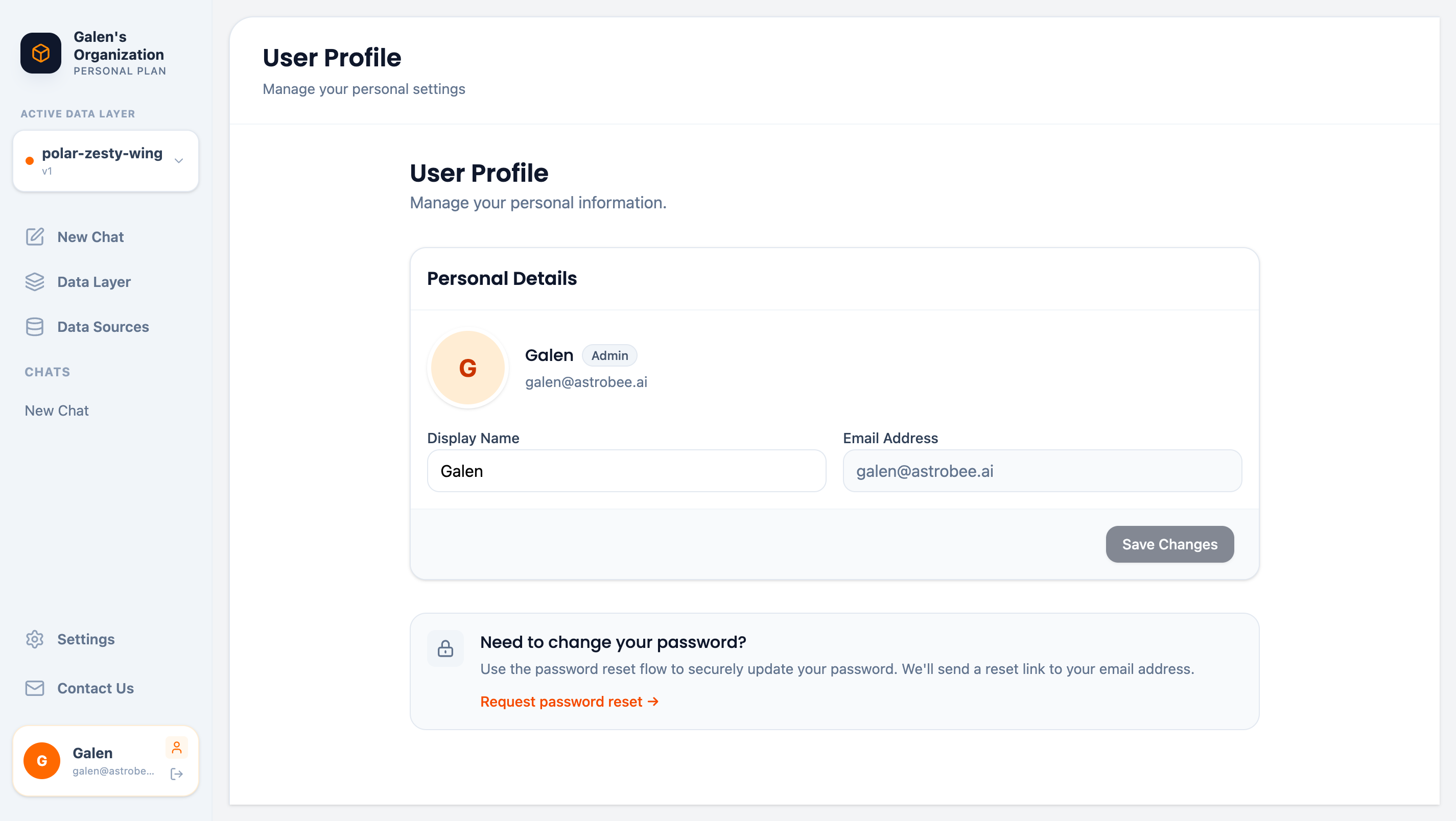 ## Personal Details
View and update your profile information:
| Field | Description | Editable |
| ----------------- | ----------------------------- | ----------------- |
| **Display Name** | Your name shown in the app | Yes |
| **Email Address** | Your sign-in email | No |
| **Role** | Your role in the organization | No (set by Admin) |
### Updating Your Name
1. Edit the **Display Name** field
2. Click **Save Changes**
Your new name appears throughout the app and in team member lists.
## Password Management
AstroBee uses secure passwordless authentication. To change your password:
1. Click **Request password reset →**
2. Check your email for a reset link
3. Follow the link to set a new password
Password reset links expire after 24 hours for security.
## Signing Out
To sign out of AstroBee:
1. Click **Logout** in the sidebar (below your profile)
You'll be returned to the sign-in page.
## Account Security
Your account is protected by:
* **Secure authentication** — Passwordless or OAuth sign-in
* **Session management** — Automatic timeout after inactivity
* **Encrypted storage** — All personal data encrypted at rest
For organization-level security settings, contact your Admin.
## Next Steps
Manage team and workspace settings (Admin only)
Learn about AstroBee's security practices
## Personal Details
View and update your profile information:
| Field | Description | Editable |
| ----------------- | ----------------------------- | ----------------- |
| **Display Name** | Your name shown in the app | Yes |
| **Email Address** | Your sign-in email | No |
| **Role** | Your role in the organization | No (set by Admin) |
### Updating Your Name
1. Edit the **Display Name** field
2. Click **Save Changes**
Your new name appears throughout the app and in team member lists.
## Password Management
AstroBee uses secure passwordless authentication. To change your password:
1. Click **Request password reset →**
2. Check your email for a reset link
3. Follow the link to set a new password
Password reset links expire after 24 hours for security.
## Signing Out
To sign out of AstroBee:
1. Click **Logout** in the sidebar (below your profile)
You'll be returned to the sign-in page.
## Account Security
Your account is protected by:
* **Secure authentication** — Passwordless or OAuth sign-in
* **Session management** — Automatic timeout after inactivity
* **Encrypted storage** — All personal data encrypted at rest
For organization-level security settings, contact your Admin.
## Next Steps
Manage team and workspace settings (Admin only)
Learn about AstroBee's security practices