> ## Documentation Index
> Fetch the complete documentation index at: https://docs.astrobee.ai/llms.txt
> Use this file to discover all available pages before exploring further.
# Warehouse Configuration
> Configure your data warehouse and storage options
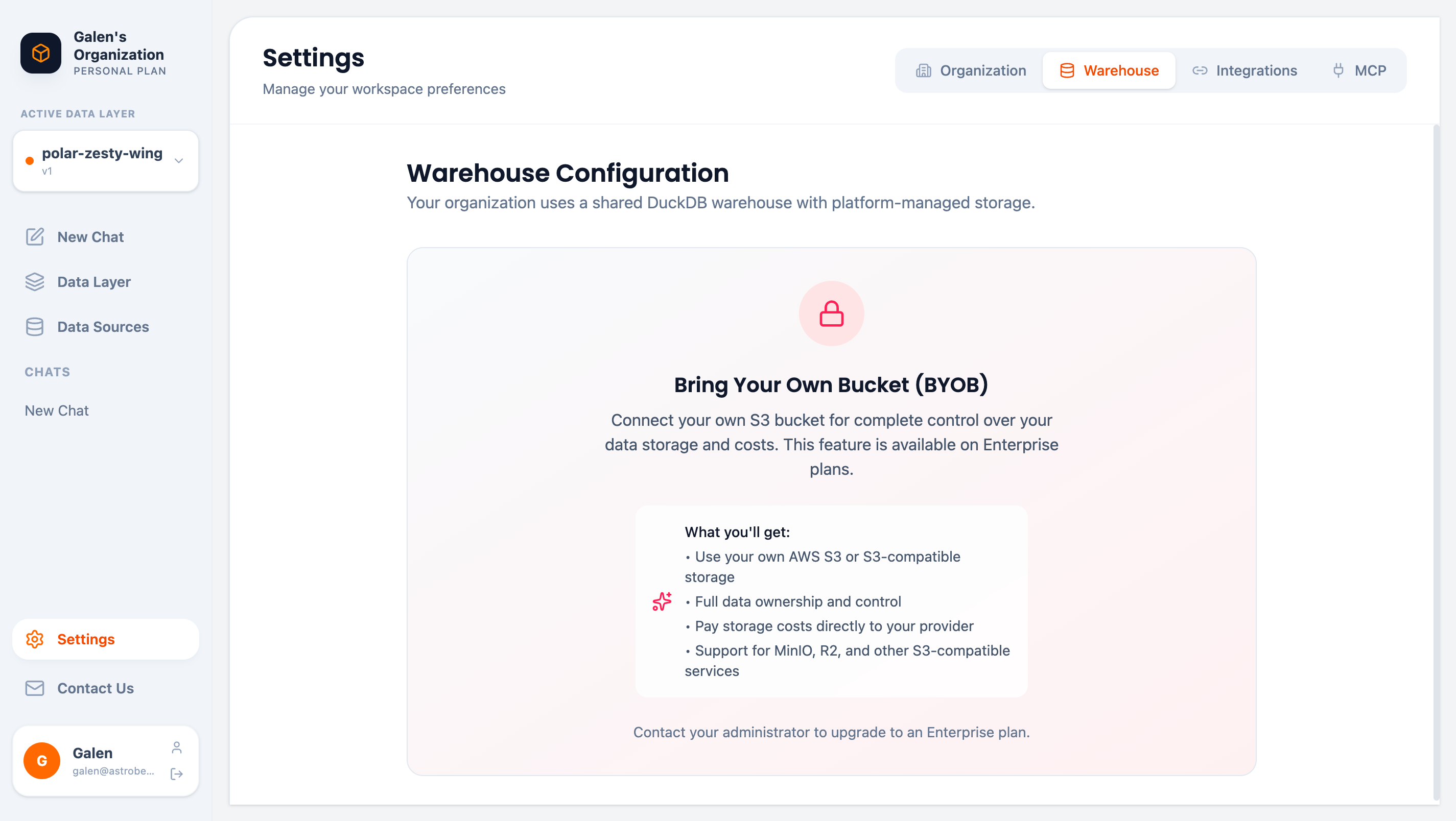
The Warehouse settings page lets you view and configure how AstroBee stores and processes your data.
Access it via **Settings** → **Warehouse** tab.
 ## Default Configuration
By default, your organization uses a **shared DuckDB warehouse** with platform-managed storage. This provides:
* Zero configuration required
* Fast query performance
* Automatic scaling
* No additional costs
## Bring Your Own Bucket (BYOB)
BYOB is available on **Enterprise plans** only. Contact us to upgrade.
Enterprise customers can connect their own S3-compatible storage for complete data control:
### Benefits
* **Data Ownership** — Your data stays in your infrastructure
* **Cost Control** — Pay storage costs directly to your provider
* **Compliance** — Meet data residency requirements
* **Flexibility** — Use AWS S3, MinIO, Cloudflare R2, or other S3-compatible services
### Supported Storage
| Provider | Compatibility |
| ------------------- | ------------- |
| AWS S3 | Full support |
| MinIO | Full support |
| Cloudflare R2 | Full support |
| Other S3-compatible | Contact us |
### Configuration
To enable BYOB:
1. Contact your administrator to upgrade to Enterprise
2. Provide your S3 bucket credentials
3. AstroBee configures the connection
4. All new data syncs to your bucket
BYOB configuration requires coordination with the AstroBee team. Contact [support@astrobee.ai](mailto:support@astrobee.ai) to get started.
## Data Processing
Regardless of warehouse configuration:
* All queries run in secure, isolated environments
* Data is encrypted in transit (TLS 1.3) and at rest (AES-256)
* Query results are cached temporarily for performance
## Next Steps
Configure third-party API integrations
Learn about data security and compliance
## Default Configuration
By default, your organization uses a **shared DuckDB warehouse** with platform-managed storage. This provides:
* Zero configuration required
* Fast query performance
* Automatic scaling
* No additional costs
## Bring Your Own Bucket (BYOB)
BYOB is available on **Enterprise plans** only. Contact us to upgrade.
Enterprise customers can connect their own S3-compatible storage for complete data control:
### Benefits
* **Data Ownership** — Your data stays in your infrastructure
* **Cost Control** — Pay storage costs directly to your provider
* **Compliance** — Meet data residency requirements
* **Flexibility** — Use AWS S3, MinIO, Cloudflare R2, or other S3-compatible services
### Supported Storage
| Provider | Compatibility |
| ------------------- | ------------- |
| AWS S3 | Full support |
| MinIO | Full support |
| Cloudflare R2 | Full support |
| Other S3-compatible | Contact us |
### Configuration
To enable BYOB:
1. Contact your administrator to upgrade to Enterprise
2. Provide your S3 bucket credentials
3. AstroBee configures the connection
4. All new data syncs to your bucket
BYOB configuration requires coordination with the AstroBee team. Contact [support@astrobee.ai](mailto:support@astrobee.ai) to get started.
## Data Processing
Regardless of warehouse configuration:
* All queries run in secure, isolated environments
* Data is encrypted in transit (TLS 1.3) and at rest (AES-256)
* Query results are cached temporarily for performance
## Next Steps
Configure third-party API integrations
Learn about data security and compliance