

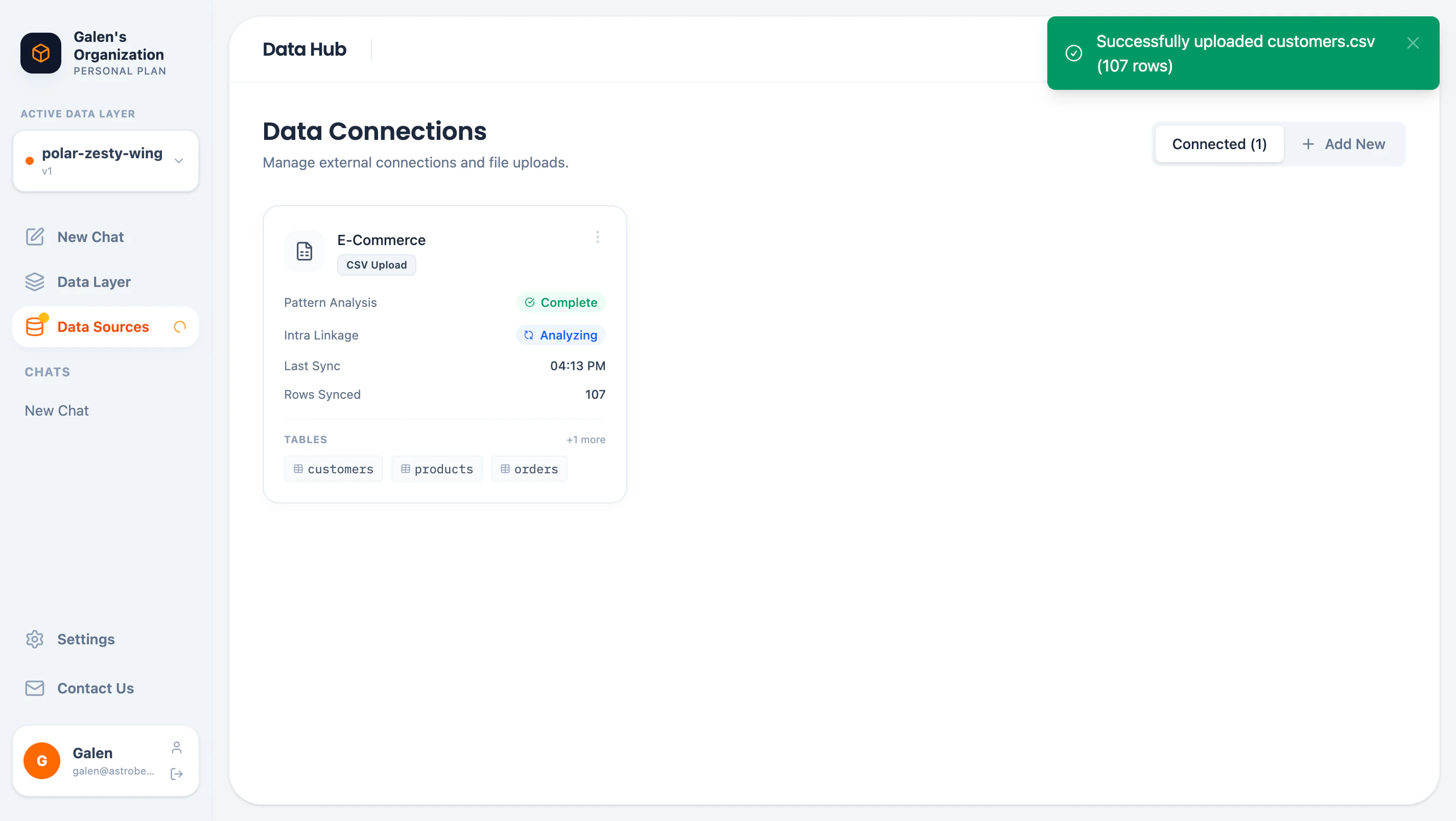
Data Hub showing connected data sources
Accessing the Data Hub
Click Data Sources in the sidebar to open the Data Hub.Adding Data Sources
Click Add New to see all available connection options: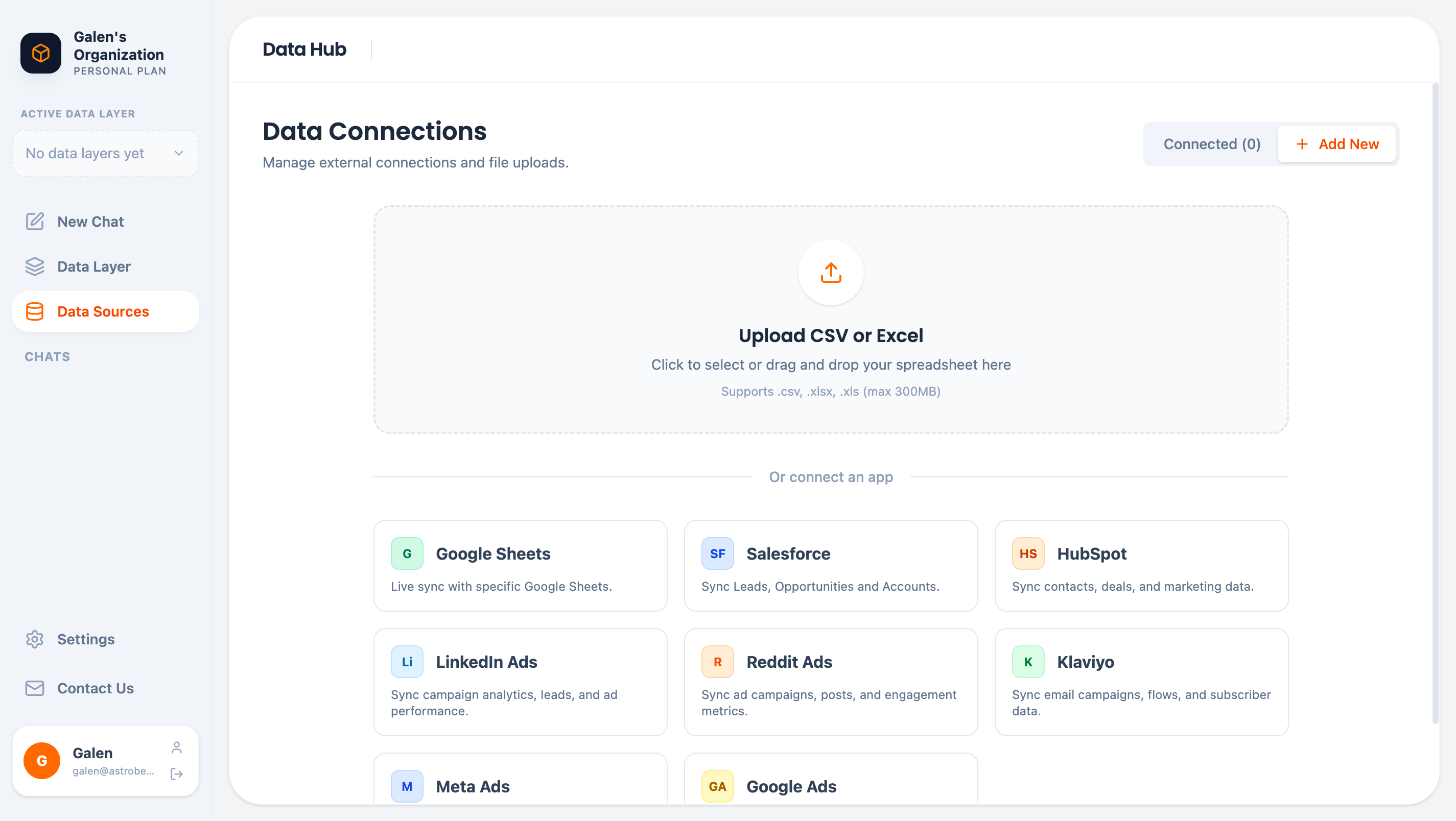
Data source connection options
File Uploads
Upload spreadsheets directly:
Drag and drop files or click to browse.
External Connectors
Connect business tools via secure Fivetran integration:External connections use Fivetran, a SOC 2 certified data integration platform. Your credentials are encrypted and never stored by AstroBee.
Data Source Cards
Each connected source shows a card with key information:Exploring Tables
Click a table name to preview its data: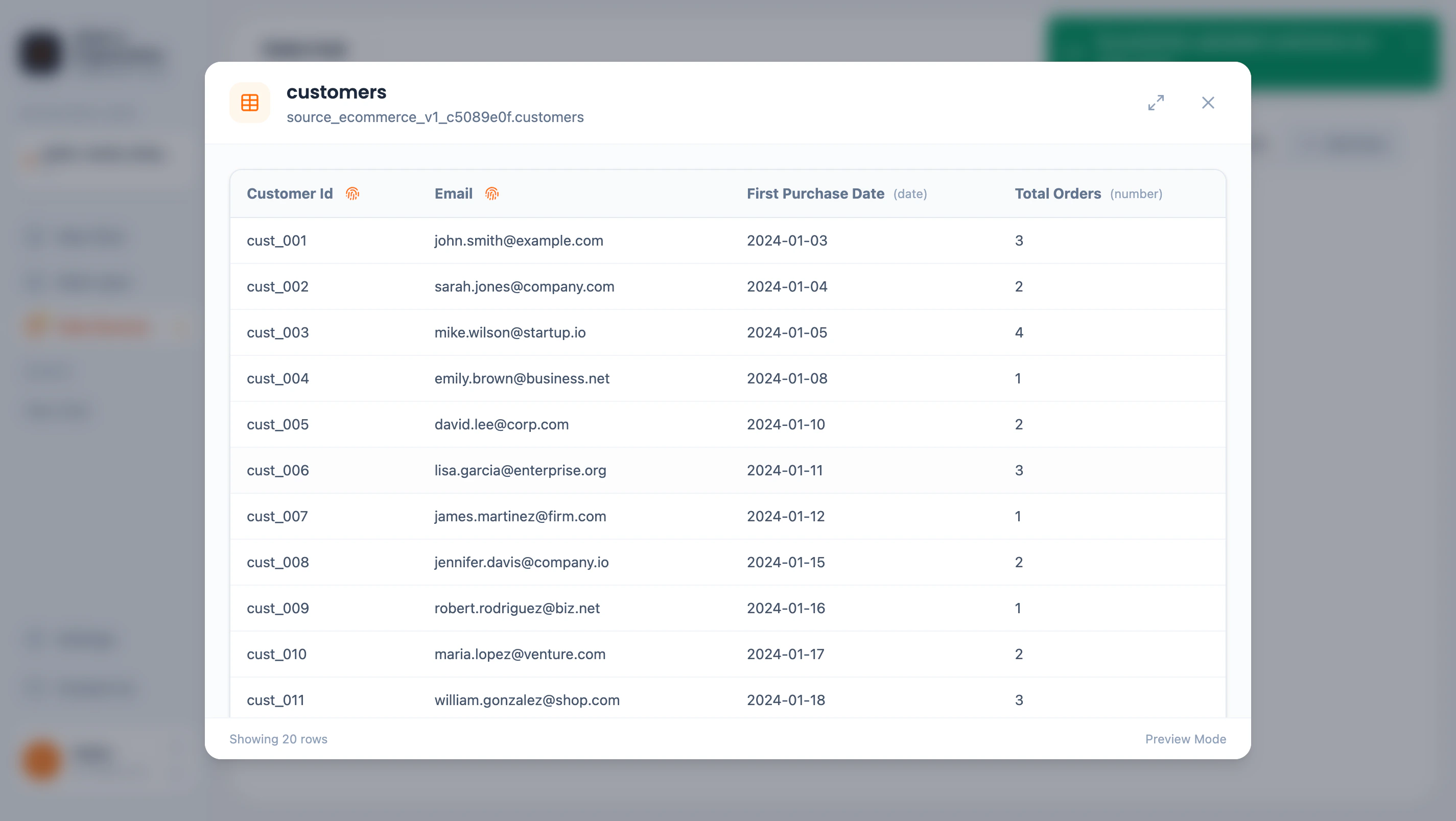
Table preview showing data and schema
- Column names with data types
- Sample data (up to 20 rows)
- Pattern analysis buttons for each column
Pattern Analysis
AstroBee automatically analyzes columns to discover patterns: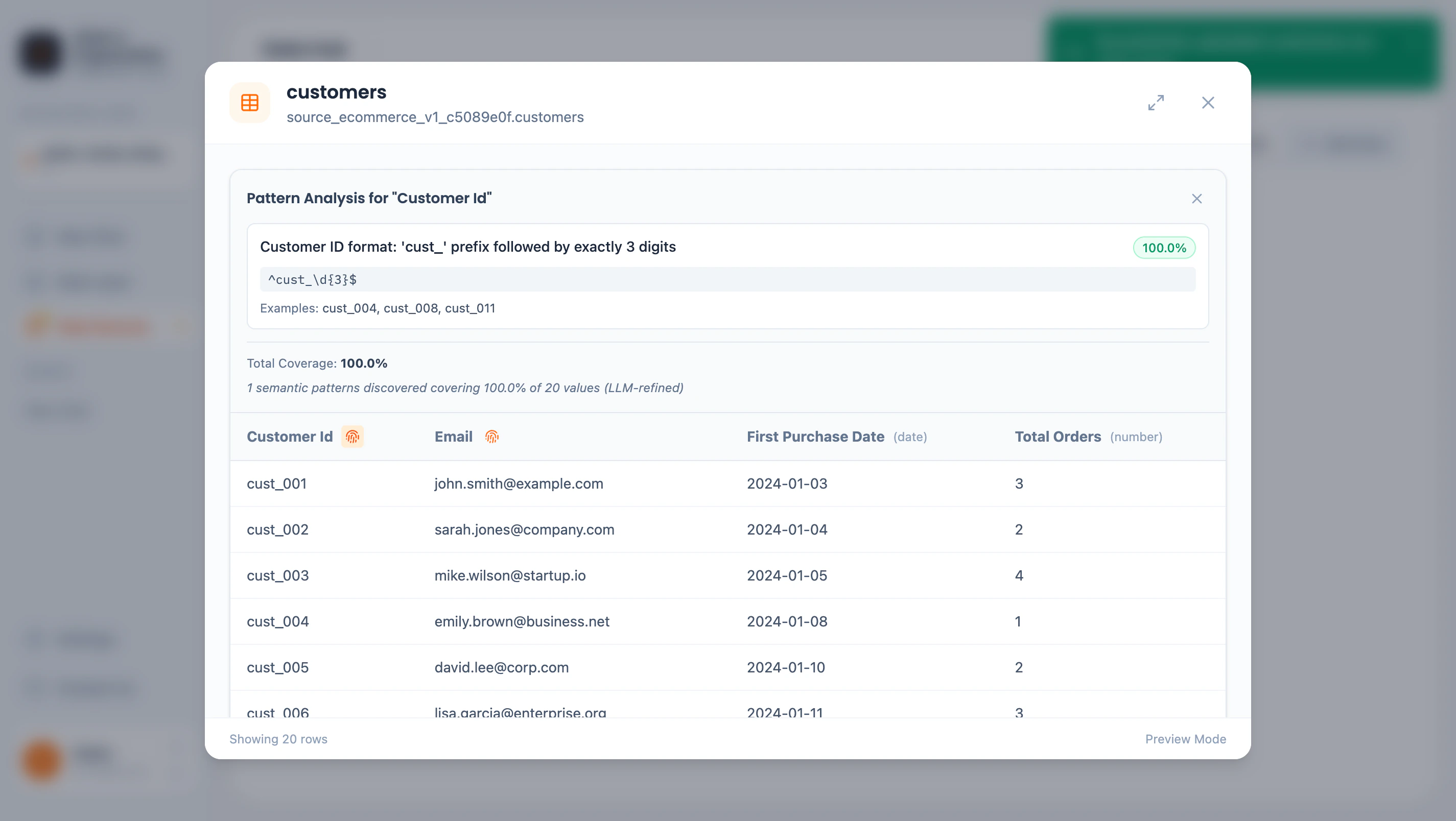
Pattern analysis for Customer ID column
- Description — Human-readable pattern explanation
- Coverage — Percentage of values matching the pattern
- Regex — Technical pattern definition
- Examples — Sample values matching the pattern
- Understand data semantics (IDs, emails, dates)
- Suggest appropriate entity mappings
- Discover relationships between tables
Linkage Discovery
AstroBee automatically discovers relationships between tables within a data source:- Key references — Foreign key relationships (e.g.,
orders.customer_id→customers.customer_id) - Pattern matches — Columns with matching patterns across tables
Managing Data Sources
Renaming
Click the data source name to rename it. Names help identify sources when connecting to data layers.Syncing
External connectors sync automatically based on your Fivetran configuration. File uploads are one-time imports. To update file data:- Upload a new version of the file
- The existing source is replaced
Deleting
Click the menu button (⋮) on a data source card to delete it.Demo Data
New accounts can load demo datasets to explore AstroBee:
Demo data is great for learning the platform before connecting your own data.
Next Steps
Build a Data Layer
Create entities and relationships from your data
Connector Guides
Step-by-step guides for each connector